
Home / Features
Everything your shop needs, from order to invoice.
Bleedline covers the whole life of a print job — taking the order, running it through production, getting the design approved, collecting payment and billing it.
Jobs & pricing
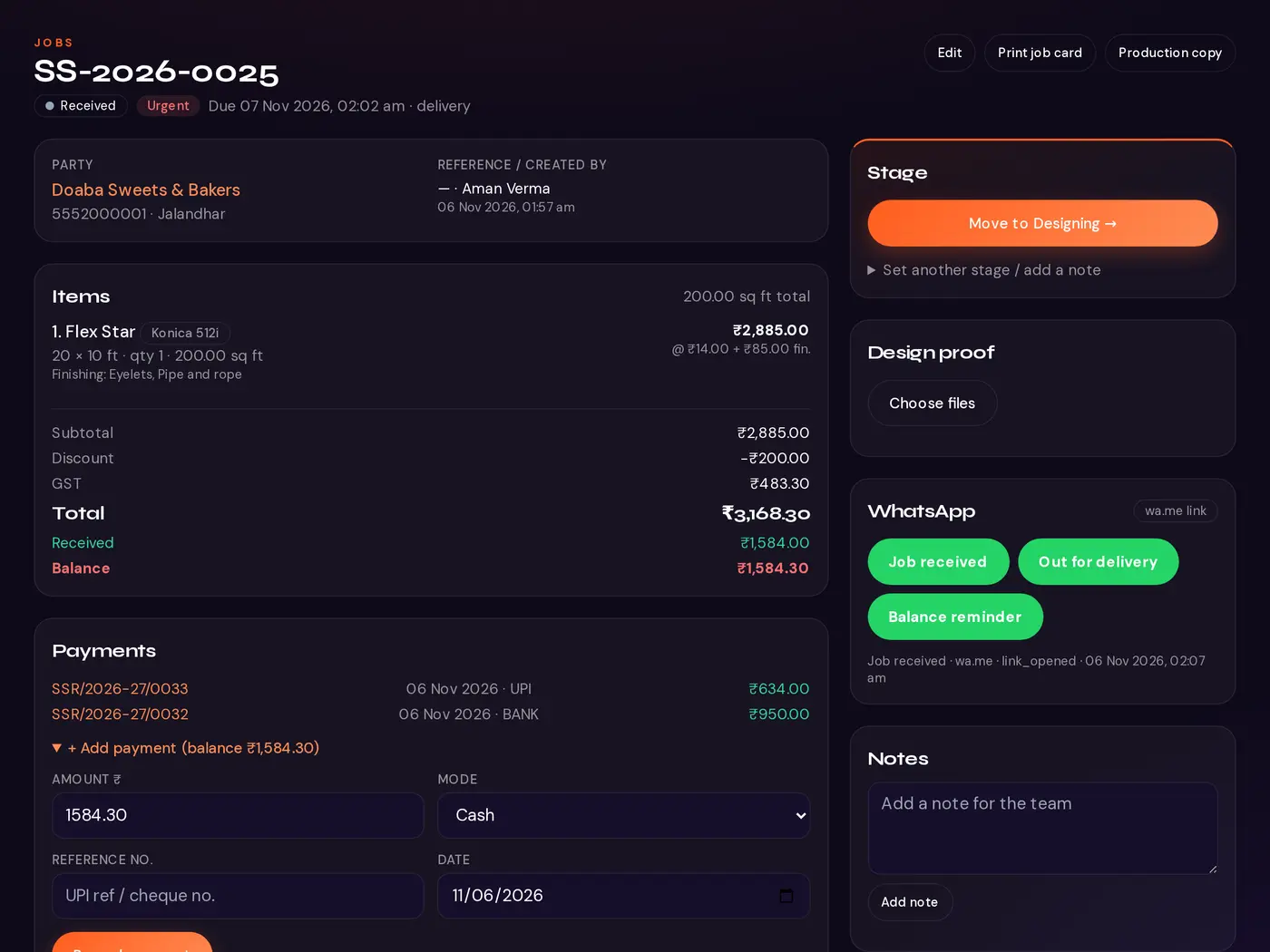
Every order becomes a job with its own number, holding everything the counter, the designer and the floor need.
Jobs
- Job numbers in a series per financial year, e.g. SS-2026-0025
- Party, reference, due date and time, normal or urgent
- Pickup, delivery or installation, with delivery address
- Search and filter by party, phone, job number, stage, dates, machine or balance due
Items, sizes and rates
- One or more items per job — flex, vinyl, boards and cards together
- Width × height in feet or inches, with quantity
- Square feet worked out automatically; inches converted
- Rate per sq ft, per piece or per running foot, defaulting from the product
- Finishing such as eyelets, lamination, pasting, framing or pipe-and-rope, priced per sq ft or per piece
Totals
- Subtotal → discount → GST → grand total
- Received and balance on every job
- Exact to the paisa — no rounding surprises
Files and photos
- Attach design files: PDF, JPG, PNG, AI, CDR, PSD or ZIP
- Take job photos and proof-of-installation with the phone camera
- Files are private to your shop and open only for logged-in staff
Production
The floor always knows what to print next, on which machine, and by when.
Production board
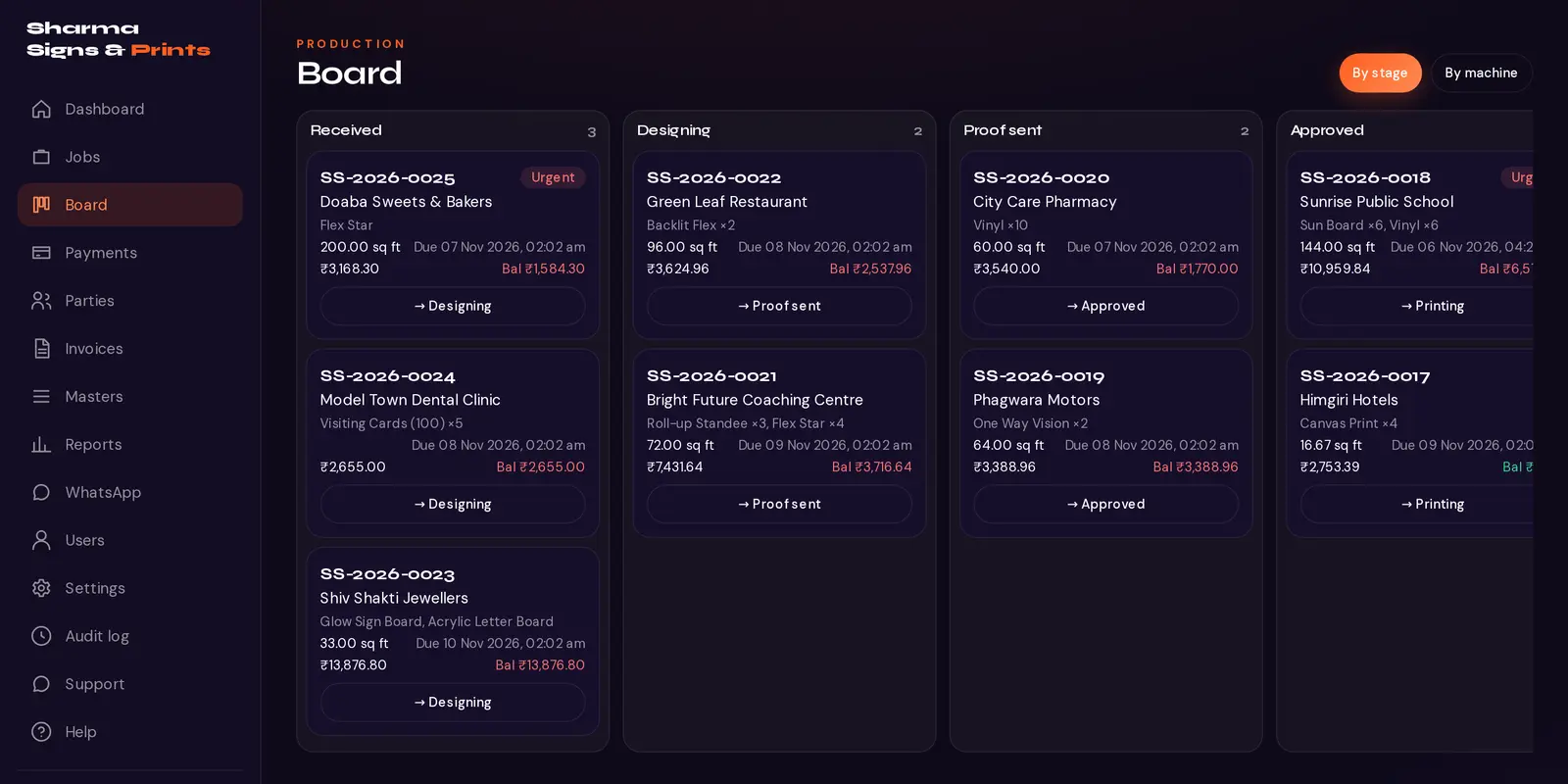
- Kanban by stage, or grouped by machine
- Cards show job number, party, items with sq ft and due time
- Urgent badge and overdue highlight
- On phones: stage tabs and a one-tap “move to next stage” button
- Every stage change records who moved it and when
Your own stages
- Add, rename, recolour, reorder and remove stages
- Special stages keep automation working — proof sent, approved, ready
- Removing a stage moves its jobs safely to another one
Job cards
- A5/A4 printable job card with a QR code
- Job number, party, items with sizes, finishing, due date and machine
- “Production copy” hides all prices
Design-proof approval
- Upload a proof and send the customer a link
- They tap Approve or Request changes, with a comment — no login needed
- The answer is saved on the job and can move it to the next stage
- Links are signed and expire after 14 days
Payments & billing
From the first advance to the final invoice, with ledgers that are always up to date.
Payments
- Cash, UPI, bank, cheque or card, with reference number and date
- Any number of part payments against a job, or an advance on account
- Printable receipts you can share on WhatsApp
- Reversals are recorded as a new entry with a reason — nothing is erased
Party ledger
- Opening balance, jobs or invoices, and payments
- Running balance and total outstanding per party
GST invoices & bills of supply
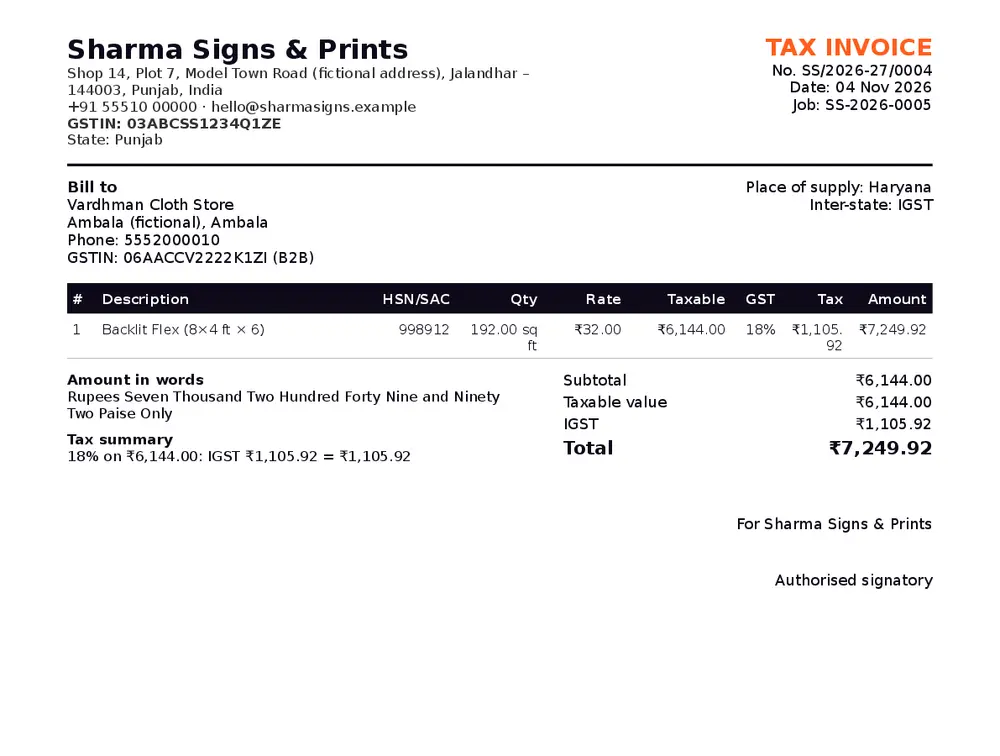
- Tax Invoice with your GSTIN and the party’s GSTIN (B2B) or B2C
- HSN/SAC and taxable value on every line
- CGST + SGST within your state, IGST outside it — chosen automatically
- Total in figures and in words
- Not registered? A Bill of Supply with no tax lines
- Series per financial year (April–March); numbers never reused; cancelled invoices stay on record
Estimates & PDFs
- Estimate / quotation from any job, without using up an invoice number
- A4 PDFs with your logo and address
- GST rate set per product — nothing hard-coded
WhatsApp updates
Keep customers informed from your own WhatsApp, without typing the same message again and again.
Ready-made messages
- Job received, with the job number
- Proof ready, with the approval link
- Ready for pickup, or out for delivery
- Payment received, with a receipt link
- Balance reminder, when you choose to send one
How sending works
- Tap a button — WhatsApp opens with the message already written, and you tap send
- Each customer can be opted out
- Coming soon: automatic sending from a shop WhatsApp number, without the tap
Dashboard & reports
Numbers the owner actually looks at, every day.
Dashboard
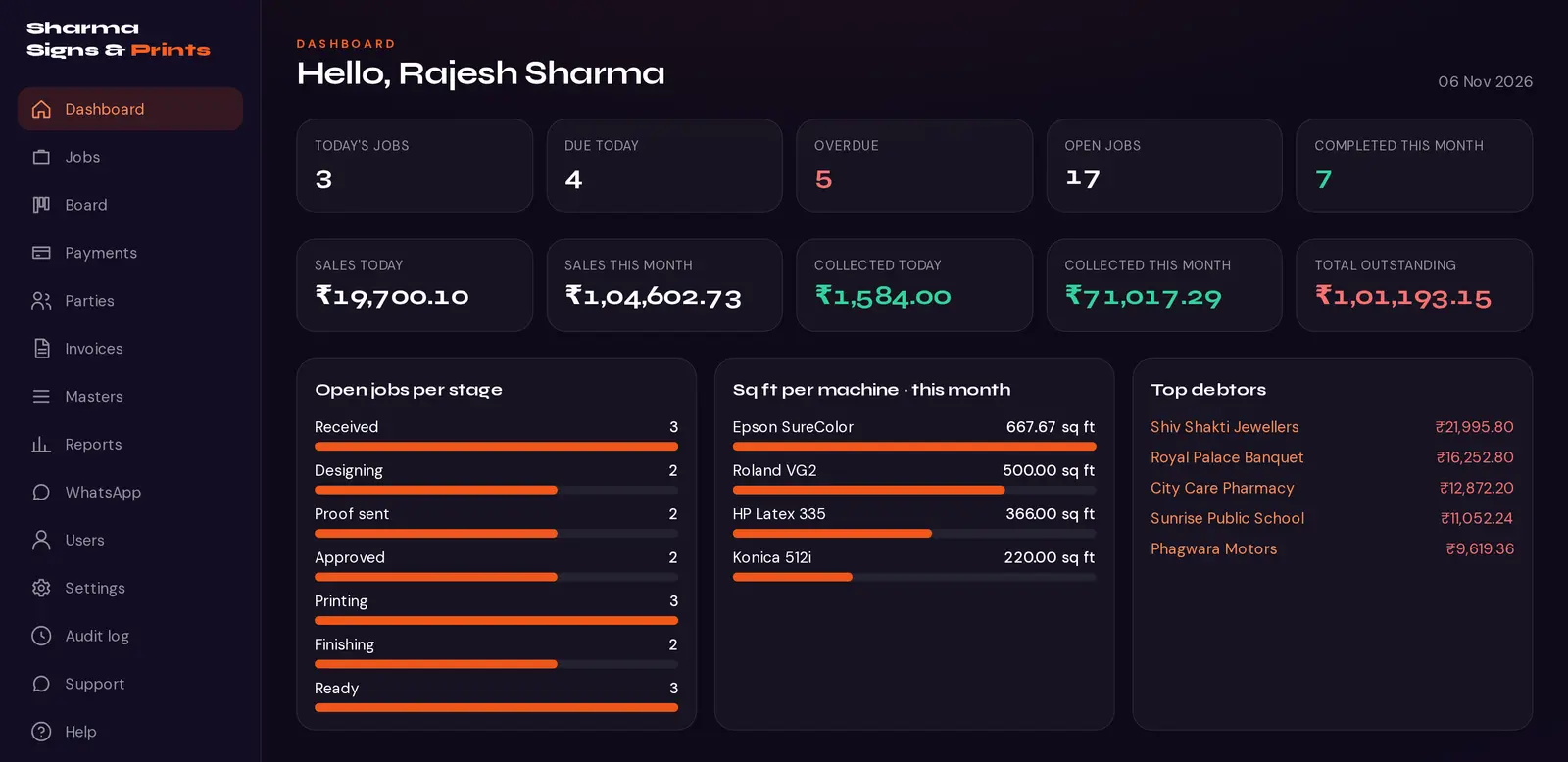
- Today’s jobs, due today, overdue, and jobs per stage
- Sales and collections, today and this month
- Total outstanding and top debtors
- Square feet printed per machine this month
- Production staff see no money tiles
Reports
- Sales by date range, party or product
- Collections by payment mode
- Outstanding ageing: 0–30, 31–60, 60+ days
- Square feet by product and machine; completed jobs
- Reference-wise jobs and GST summary by rate
- Every report downloads as CSV
Team, control & support
The owner stays in control of who sees what — and can see what changed.
Roles & permissions
- Owner, Admin/Manager, Counter/Designer, Production and Accounts
- The owner switches individual permissions on or off for each role
- Production sees no prices by default
- Shop settings, stages and permissions are owner-only
- Checked on the server for every action, not just hidden on screen
Audit log
- Every create, change and delete on jobs, items, payments, invoices, users and settings
- Who, when, and the values before and after
Phone app (PWA)
- Install on Android or iPhone from the browser — no app store needed
- Bottom navigation and large touch targets
- Login with phone number or email
- Light theme for bright shop floors
More than one shop
- Each shop gets its own workspace and staff logins
- Its own name, logo, colours, GST details and number series
- Data is never shared between shops
Help & support
- Step-by-step guides inside the app, shown according to each person’s role
- Raise a support ticket — question, bug or feature — and follow it until it is resolved
See your own jobs in Bleedline
Book a free demo. We will walk you through it using the kind of work your shop does every day — flex, vinyl, boards or cards.